





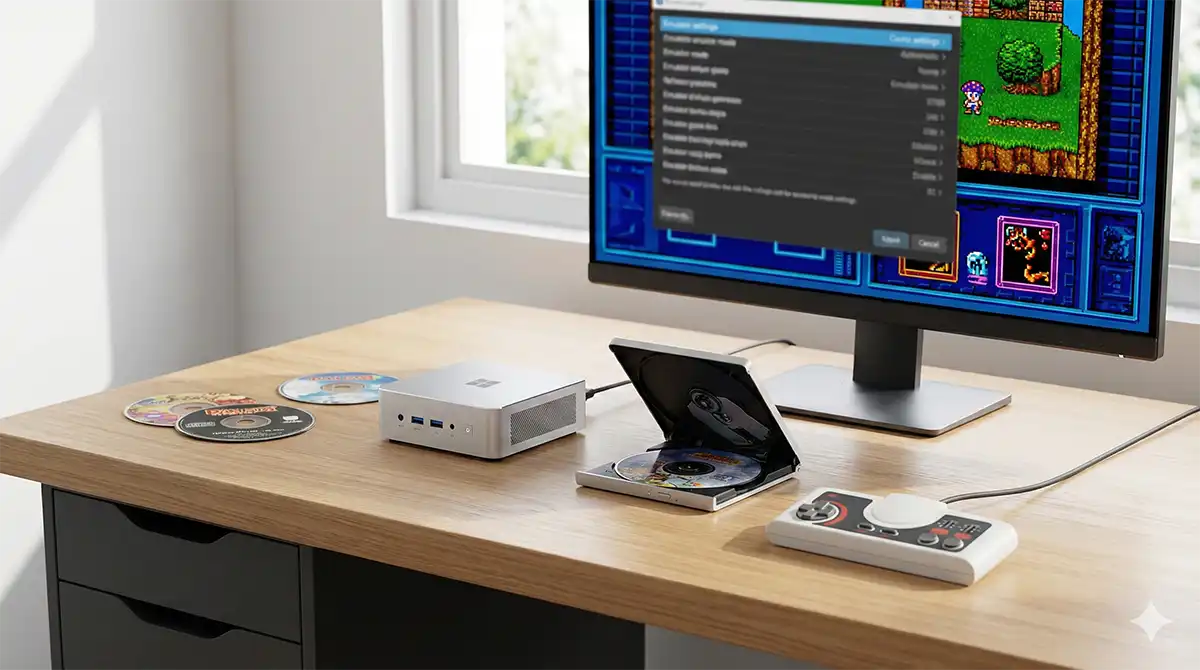
Getting a HuCard game running in an emulator takes about thirty seconds. Getting a TurboGrafx-CD or PC Engine CD-ROM² game running takes longer, and almost everyone hits the same wall: a black screen, or a game that boots but plays no music.
Both failures have boring causes. One is the System Card — the BIOS that the CD hardware needs before it will read a disc at all. The other is the disc image itself: a lot of ripping tools throw away the CD audio tracks, and a CD-ROM² game without its audio tracks is a game without a soundtrack.
This guide is written for two different readers who end up in the same place. The first owns North American hardware — a TurboGrafx-CD, a TurboDuo, a shelf of Ys Book I & II and Lords of Thunder. The second imported a Japanese PC Engine with a Super CD-ROM² unit because the Japanese library is roughly four times the size. The two groups need slightly different things, and the differences are not obvious, so they are spelled out below.
What actually stops a CD game from booting
Strip away the noise and there are three failure modes:
- No System Card image. The emulator has no BIOS to hand the disc to, so it stops before the game ever runs. This is the black screen.
- A disc image with no audio tracks. An .iso holds the data track only. The game boots, plays, and is silent where the Red Book music should be.
- A .cue sheet that does not match the files next to it. Renamed a folder, dropped a track, converted half the set — the emulator either refuses the disc or plays the wrong track.
Everything below is really just those three problems, explained properly.
Which emulator in 2026
Four options are worth knowing about. The landscape shifted in 2026, so if you are working from an older guide, check this first.
| Emulator | CD-ROM² support | Disc formats | Best for |
|---|---|---|---|
| MesenCE (Mesen 2.2.x) | CD-ROM², Super CD-ROM², Arcade Card, CD+G | cue/bin | Accuracy plus a full debugger; multi-system users |
| Beetle PCE FAST (RetroArch core) | CD-ROM², Super CD-ROM², Arcade Card | cue/bin, ccd, iso, img, chd | Handhelds, TVs, anything already running RetroArch |
| Geargrafx (standalone and RetroArch core) | CD-ROM², Super CD-ROM², Arcade CD-ROM² | cue/bin, cue/img, cue/iso, chd | The most configurable CD options; SuperGrafx too |
| Ootake | Yes | cue/bin, iso | Windows-only; long-standing focus on low input lag |
Mesen 2 is archived — use MesenCE
This trips people up. The original SourMesen/Mesen2 repository was archived by its owner on 4 June 2026 and is now read-only. Its last stable release was 2.1.1, from 6 July 2025. Development moved to a community fork, MesenCE, hosted under the nesdev-org organisation and still maintained by Sour together with other contributors. MesenCE released Mesen 2.2.1 on 5 June 2026.
Practically: if you download “Mesen 2” today from the archived repository you get a build from mid-2025. The PC Engine CD improvements — CD-ROM load timing fixes, Arcade Card fixes, CD+G playback — are worth having, so take the MesenCE build. Everything in this guide applies to both; the newer build simply has fewer edge-case bugs.
Geargrafx is the newcomer worth trying
Geargrafx (by Ignacio Sánchez / drhelius, GPLv3) is a dedicated PC Engine, TurboGrafx-16, SuperGrafx and CD-ROM² emulator that ships both as a standalone application and as a RetroArch core. It is the only one of the four that lets you explicitly force the CD-ROM hardware tier and the BIOS from a menu, which makes it the easiest tool for diagnosing a stubborn disc. It also carries an internal game database, so its Auto settings usually pick correctly on their own.
Which System Card do you actually need?
This is where North American and Japanese hardware stop being interchangeable, and where most English-language guides quietly copy Japanese ones and get it wrong.
HuCards are region-locked. CDs are not.
On the cartridge side, NEC reversed the eight data bus lines between the Japanese PC Engine and the North American TurboGrafx-16. A Japanese HuCard is electrically unreadable in a TurboGrafx and vice versa — hence the converters and region mods. On top of that, nearly every US game contains a check that reads bit 6 of the input port and, if it fails, maps in an empty bank and jumps to it. The result is not an error message. It is a crash to a blank screen.
The discs themselves carry no region protection at all. A Japanese Super CD-ROM² disc plays on a TurboDuo and a US disc plays on a Japanese Duo, provided the right System Card is present. The lock lives in the card, not the disc.
That matters for emulation because System Cards are HuCards. They were region-locked exactly like games. So the US Super System Card 3.0 and the Japanese Super System Card 3.0 are two different products — and the US one is genuinely rare, while the Arcade Card never received a North American release at all.
Every emulator here expects the Japanese Super System Card 3.0
Regardless of which console you own, the file all four emulators want is the Japanese Super CD-ROM² System v3.0 image, conventionally named syscard3.pce and 262,144 bytes (0x40000).
You can verify this from the emulators’ own code and documentation:
- MesenCE / Mesen looks for [BIOS] Super CD-ROM System (Japan) (v3.0).pce, with syscard3.pce accepted as an alternative name, at exactly 0x40000 bytes.
- Beetle PCE FAST lists syscard3.pce as required (md5 38179df8f4ac870017db21ebcbf53114), with syscard1.pce, syscard2.pce and gexpress.pce optional.
- Geargrafx lists the same four files and recommends the same System Card 3.0 hash.
So if you own a North American TurboGrafx-CD and were expecting to dump your own US Super System Card: you can, but understand that it is not the file these emulators default to. The American card runs BIOS 3.1 internally while displaying 3.0 on its title screen — the same revision used in the Turbo Duo. It is a different image with different behaviour, and it is not what the compatibility testing behind these emulators was done against.
Mesen has exactly two PC Engine firmware slots
A detail worth stating plainly, because guides frequently list four or five System Card versions as though you need them all. Mesen’s firmware handling recognises only two PC Engine entries:
| Firmware | Filename Mesen looks for | Alternative name | Size |
|---|---|---|---|
| Super CD-ROM² System v3.0 | [BIOS] Super CD-ROM System (Japan) (v3.0).pce | syscard3.pce | 0x40000 |
| Games Express CD Card | [BIOS] Games Express CD Card (Japan).pce | gecard.pce | 0x8000 or 0x4000 |
There is no separate Arcade Card firmware, and none is needed: the Arcade Card uses the same 3.0 BIOS as the Super System Card. NEC never revised the BIOS after 3.0 — the identical image sits in the Super System Card, the Duo consoles and the Arcade Card Pro. The Arcade Card’s contribution is RAM, not a new BIOS, and the emulator supplies that RAM itself.
The Games Express card is a separate case entirely: an unlicensed Japanese card sold with a handful of unlicensed discs. Its BIOS errors out on licensed games, so treat it as a niche extra rather than a fallback.
When an older System Card genuinely matters
Two well-documented cases exist where the version is not interchangeable, and both are software bugs rather than protection:
- Altered Beast (CD-ROM²) breaks partway through — your powered-up form simply stops the level progressing — on anything other than the Japanese System Card 1.0.
- A III: Take the “A” Train assumes it will only ever run under Japanese BIOS 3.0 and jumps straight into its code. It crashes on the US 3.1 revision, and therefore on a Turbo Duo.
This is why Beetle PCE FAST exposes a CD BIOS core option (System Card 3 by default, plus System Card 1, System Card 2 and Games Express) and Geargrafx exposes CD-ROM BIOS with the same choices plus Auto. If a specific game misbehaves and only that game, changing the card version is the first thing to try. It is not something to change globally.
One extra setting for US HuCard games
Geargrafx also has a System option — Auto, PC Engine (JAP), SuperGrafx (JAP), TurboGrafx-16 (USA) — and its documentation warns that many US games will not start if a Japanese system is detected. That is the hardware region check from earlier surfacing in software. Leave it on Auto; if a North American HuCard title refuses to boot, force TurboGrafx-16 (USA).
Making a disc image that keeps its music
You need a PC optical drive that reads CDs. Any external USB CD/DVD drive works; there is nothing special about the discs, they are ordinary Mixed Mode CDs with one data track and a run of Red Book audio tracks.
Why an .iso alone gives you a silent game
An ISO is a dump of a single data track. On a CD-ROM² disc the code and graphics live in that data track, but the soundtrack does not — it is stored as standard CD audio in separate tracks. Rip to ISO and you get a game that boots, runs and has nothing to play. This is the single most common cause of “the game works but there’s no BGM”.
The fix is to dump the whole disc, all tracks, and end up with a .cue sheet describing the layout plus the actual track data.
Two layouts that work
Both of these are fine, and both are supported across all four emulators:
- One .bin plus one .cue. The whole disc in a single file, with the cue listing every track and its index. Fewer files means fewer ways to break the set.
- .chd. MAME’s compressed disc format. Convert an existing cue/bin set with chdman createcd –input foo.cue –output foo.chd. Smaller, self-contained, and impossible to desynchronise from its cue sheet because there is no separate cue sheet. Supported by Beetle PCE FAST and Geargrafx.
Multi-file track sets (one .bin per track) also work, but they are where mistakes accumulate: a renamed file, a missing track, a mismatched pregap. If you already have such a set and it misbehaves, rebuild it as a single bin or convert to CHD before blaming the emulator.
Watch the audio codec if you are working with a cue/iso set that stores tracks as separate audio files. Beetle PCE FAST accepts WAV and OGG tracks with a correctly written cue sheet. Geargrafx accepts WAV only — 44.1 kHz, 16-bit stereo — and explicitly does not support MP3 or OGG tracks. If a disc is silent in one emulator and fine in another, this is often why.
Open the .cue in a text editor
A cue sheet is plain text and takes ten seconds to check. Every FILE line must name a file that actually exists, spelled exactly as it is on disk, sitting in the same folder. A minimal single-track cue looks like this:
FILE “foo.bin” BINARY
TRACK 01 MODE1/2352
INDEX 01 00:00:00
Real CD-ROM² games have many more tracks than that, with the data track first and audio tracks following. You are not editing the timings — you are checking that the filenames match. That one check resolves a surprising share of “won’t load” reports.
Step by step: MesenCE
Mesen deliberately has no firmware browser in its settings. There is no “Firmwares” tab to point at a file — this is worth saying because several guides describe one. Instead:
- Put syscard3.pce (or the long [BIOS] Super CD-ROM System (Japan) (v3.0).pce name) into Mesen’s Firmware folder, inside its data folder.
- Or skip that: just open a CD image. If the firmware is missing, Mesen prompts you to select the file and copies it into the Firmware folder itself. MesenCE additionally checks the file’s SHA256 and warns you on a mismatch — it will still let you use it, but a warning means you have a different revision than expected.
- Load the .cue, not the .bin.
- If you ever need to swap in a different card image, replace or delete the file in the Firmware folder; deleting it makes the prompt reappear next time.
The size check is strict. If Mesen keeps insisting the firmware is missing while the file is clearly sitting there, check that it is exactly 262,144 bytes. A headered, padded or partial dump will be silently rejected.
Step by step: RetroArch and Geargrafx
- Put syscard3.pce in RetroArch’s system directory. Add syscard1.pce, syscard2.pce and gexpress.pce only if you have specific need of them.
- Load your .cue or .chd with Beetle PCE FAST or Geargrafx.
- In Geargrafx, leave CD-ROM and CD-ROM BIOS on Auto. Its internal database picks the right hardware tier — Standard, Super CD-ROM or Arcade CD-ROM — from the disc itself. Override only to test a theory.
- In Beetle PCE FAST, the equivalent is the CD Bios core option, defaulting to System Card 3. It requires a core restart to take effect.
Two limitations to know about before you start a long game. Neither core supports RetroArch’s Disk Control interface, so multi-disc titles cannot be swapped from the menu mid-session. And Beetle PCE FAST offers a CD Image Cache option (Geargrafx calls it Preload CD-ROM) that loads the whole disc into RAM: slower to start, faster in-game, and useful if you are running from a slow drive or a network share.
Tuning after it boots
Fix the boot first. Filters, shaders and overlays come last — if you enable six things at once and something looks wrong, you have no idea which one did it.
Audio crackle and latency
Crackling or popping is nearly always the audio buffer set too small for your machine. Raise the latency until the crackle stops, then stop raising it. Too low gives you dropouts; too high gives you input that feels detached from the screen. The correct value is the smallest one that is clean on your hardware, and it differs between a desktop and a handheld.
If the audio was clean and then degrades over a session, suspect background CPU load rather than the emulator.
Controllers
The stock PC Engine pad has two buttons. Later Avenue Pad 3 and Avenue Pad 6 controllers added more, and both Beetle PCE FAST and Geargrafx emulate them — Geargrafx even auto-selects the Avenue Pad 3 button mapping per game. Some fighting games want six buttons; most of the library wants two. If a game responds to nothing, check the pad mode before you check anything else.
When a controller behaves oddly, test it outside the emulator first. Isolating “the pad is not being seen by the OS” from “the emulator is mapped wrong” saves a lot of time.
Video, last
Once the game boots and sounds right, add scanlines, a CRT shader or an aspect ratio you like. Geargrafx bundles a video low-pass filter with adjustable cutoff that approximates analogue signal softening, plus three colour palettes; Mesen has its own filter set. All of it is cosmetic and none of it should be touched while you are still diagnosing a problem.
Troubleshooting
HuCard games run, CD games are a black screen. The System Card image is missing, misnamed, or the wrong size. Confirm 262,144 bytes for syscard3.pce.
The game runs but there is no music. Your image has no audio tracks — almost certainly an ISO-only rip. Re-dump the full disc to cue/bin or CHD.
The wrong music plays, or a track cuts to another. The cue sheet does not match the files beside it. Open it in a text editor and check every FILE line against the actual filenames.
An Arcade Card game warns or glitches. You do not need a separate Arcade Card BIOS. Confirm the CD-ROM hardware tier is on Auto (or forced to Arcade CD-ROM) and that syscard3.pce is present and correct.
One specific game crashes, everything else is fine. Try a different System Card version for that game only. Altered Beast wants the Japanese 1.0 card; A III: Take the “A” Train wants Japanese 3.0 and will not tolerate the US 3.1 revision.
A North American HuCard title refuses to start. Force the console type to TurboGrafx-16 (USA) rather than letting a Japanese system be detected.
A note on legality (United States)
Everything above assumes you own the hardware and the discs, and that you are making your own copies from your own media. That is the only workflow described here, and no source for System Card or game images is named anywhere in this article — deliberately.
The US picture is genuinely unsettled rather than simply permissive. 17 U.S.C. §117 permits the owner of a copy of a computer program to make an archival copy, but it was written for software copies and courts have not read it as a blanket right to rip any game you own. 17 U.S.C. §1201 — the DMCA’s anticircumvention provision — separately prohibits bypassing technological protection measures, and the Librarian of Congress grants narrow, time-limited exemptions every three years, several of which concern game preservation but are considerably narrower than most people assume. Downloading a BIOS or a game image you do not own is not covered by any of this.
This is general background, not legal advice. It is not a legal opinion about your situation, and if a specific question matters to you, ask a lawyer rather than a games blog.
Summary
The short version, if you skipped here:
- Use MesenCE rather than the archived Mesen 2, or use Beetle PCE FAST or Geargrafx in RetroArch.
- The file you need is the Japanese Super System Card 3.0 (syscard3.pce, 262,144 bytes) — even if your console is North American. It also covers Arcade Card titles.
- Discs are not region-locked; System Cards are. That is the whole US-versus-Japan difference in one sentence.
- Dump the whole disc, keep the audio tracks, and load the .cue or .chd — never a lone .iso.
- Fix booting first, sound second, and leave the filters for last.
The CD-ROM² library is worth the setup effort. It contains some of the best-looking and best-sounding games of its generation, and a good share of it never left Japan — which is exactly why so many people running this hardware in 2026 are running it on a PC.

コメント