










If you are buying an Android device mainly for retro games, the spec that matters most is not RAM or screen size. It is the chip, and specifically its GPU. NES, SNES, Genesis, TurboGrafx-16 and PS1 emulation runs on almost anything sold today. PS2 is where devices separate, and the dividing line is less about raw power than about which graphics drivers the device can use.
This guide covers hardware only: which phones and Android handhelds to consider in 2026, why Snapdragon with an Adreno GPU is still the safest pick, where Google Pixel phones fall short, and what to settle on storage, cooling and controls before you pay. It does not compare emulator apps.
A note on games and the law: this article assumes you play games you legally own and have dumped from your own cartridges and discs. How the law treats personal backup copies differs from country to country, and nothing here is legal advice. We do not cover where to obtain games, BIOS files or emulator apps.
- Quick answer: what each chip tier can run (September 2026)
- Snapdragon vs MediaTek for emulation: it comes down to GPU drivers
- The Pixel problem: why Google’s own phones are a weak emulation buy
- Best phones for emulation by budget
- Android gaming handhelds: cooling and sticks included
- Storage, cooling and controllers: decide them with the device
- FAQ
- Pre-purchase checklist
- Bottom line
Quick answer: what each chip tier can run (September 2026)
A rule of thumb based on chip generation and the driver situation explained below, not a benchmark chart.
| Chip tier | Example devices | Comfortable range (rule of thumb) | PS2 |
|---|---|---|---|
| Snapdragon 8 Elite / 8 Elite Gen 5 | Galaxy S25 series, Galaxy S26 Ultra, Galaxy Z Fold7, OnePlus 15, Xiaomi 17 series, ROG Phone 9, REDMAGIC 11 Air, AYN Odin 3 | NES through PS2, with room for GameCube and Wii | Plenty of headroom |
| Snapdragon 8 Gen 2 / 8 Gen 3 | Galaxy S23 series, Galaxy S24 Ultra, US-model Galaxy S24/S24+, Galaxy Tab S9/S9+/S9 Ultra, Retroid Pocket 6, AYN Odin 2 Portal | NES through PS2; the value tier | Stable for most games |
| Snapdragon 888 / 870 | 2021 to 2022 flagships, often bought used | NES through PSP; PS2 depends on the game | Pick your games |
| Snapdragon 7 / 6 series | Mid-range phones | NES, SNES, Genesis, TurboGrafx-16, PS1, PSP | Don’t count on it |
| MediaTek Dimensity and Google Tensor G1 to G4 (Mali GPU) | Many MediaTek phones, Galaxy Tab S10+/S10 Ultra, Galaxy Tab S11 series, Pixel 6 to 9 | PS1 and PSP are practical; beyond that, hit and miss | Inconsistent |
| Exynos (Xclipse GPU) and Tensor G5 (PowerVR GPU) | Europe-model Galaxy S24/S24+ and S26/S26+, Galaxy Z Flip7, Pixel 10 | Depends on the manufacturer’s own driver | Check before buying |
Galaxy note: Samsung can use different chips under the same model name. The S23 series (Snapdragon 8 Gen 2) and S25 series (Snapdragon 8 Elite) are Snapdragon everywhere, but the S24/S24+ and S26/S26+ are Snapdragon in the US and Exynos in Europe. In the UK, Australia or elsewhere, confirm the chip for the exact model number with a device-info app or the manufacturer’s spec page.
Snapdragon vs MediaTek for emulation: it comes down to GPU drivers
Flagship Dimensity chips are high-end parts, so why does the emulation community keep pointing people to Snapdragon? Emulators lean heavily on the GPU driver, and a stock phone driver is tuned for typical Android apps and games, not for what console emulators ask of it. When that driver has gaps, the real fix is a different driver, and only one GPU family has a practical way to get one.
Adreno owners have an escape hatch: Turnip
Turnip is an open-source Vulkan driver from the Mesa project (freedreno), and it exists only for Qualcomm Adreno GPUs. On Android, apps that embed libadrenotools can load a replacement driver from a zip file, with no root, and only inside that app. The community list at K11MCH1/AdrenoToolsDrivers names Dolphin, PPSSPP, Winlator (Bionic), Eden, Vita3K and ARMSX2 among the apps that support this; mainline NetherSX2 does not, though a separate fork bundles Turnip. For a buyer, the point is simple: on Snapdragon, a driver problem is often something you can work around. On other GPUs, you usually wait for the manufacturer.
Mali, Xclipse and PowerVR have no equivalent
- Arm Mali (MediaTek Dimensity, Google Tensor G1 to G4): Mesa has Panfrost (OpenGL) and PanVK (Vulkan), but they target Linux; there is no mature way for ordinary Android users to swap drivers the way Turnip allows. GameSir announced in July 2025 that it was working with MediaTek to eventually offer custom GPU drivers, with no release date, and we could not find a public release as of September 2026.
- Samsung Xclipse (Exynos): the Exynos 2600 uses the Xclipse 960. Several reports describe it as a Samsung adaptation of AMD’s RDNA4 family, while Samsung calls it a new architecture. Either way, it is not Adreno, so Turnip does not apply.
- Imagination PowerVR (Pixel 10): also outside Turnip’s scope; see the next section.
This does not mean these devices cannot emulate. It means fewer options when a game misbehaves, and emulation quality tied to how the maker prioritizes driver updates.
Brand-new chips: driver support arrives late
Qualcomm announced the Snapdragon 8 Elite Gen 5 on September 24, 2025: third-generation Oryon CPU with two prime cores up to 4.6GHz and six performance cores up to 3.62GHz, plus an Adreno 840 GPU that Qualcomm says is up to 23% faster and about 20% more power-efficient than the previous generation. The Xiaomi 17 series shipped it first (China, September 25, 2025), followed by the iQOO 15 (China, October 20) and OnePlus 15 (China October 27, global November 13).
Turnip support for Adreno Gen 8 was merged in January 2026 during the Mesa 26.0 cycle, naming the 8 Elite Gen 5 (Adreno 840). The earlier 8 Elite (Adreno 830) has mostly relied on community builds. The general lesson: custom-driver support lags a new chip by months, so the previous generation is a reasonable emulation buy.
Where the PS2 line sits
PS2 emulation needs strong single-thread CPU performance and a GPU driver that copes with emulator workloads. The software has shifted too: AetherSX2 ended development in January 2023 after its developer faced harassment and impersonation, and NetherSX2 is a community-patched version based on AetherSX2 build 4248 whose README points stronger or Adreno devices to the patched build and weaker or Mali devices to an older Classic build. ARMSX2, an open-source (GPL-3.0) ARM64 fork of PCSX2 not affiliated with the PCSX2 project, was rated by Android Authority (June 29, 2026) as a strong option for mid-range and high-end devices. PCSX2 has no official Android version. None of this changes the hardware advice: as a rule of thumb, Snapdragon 8 Gen 2 or newer is comfortable for PS2, and 888/870 works if you pick your games.
The Pixel problem: why Google’s own phones are a weak emulation buy
In the US, a Pixel is a common default for clean Android, and for photos and long software support that choice is easy to defend. For emulation, Pixels have been a weak buy for one reason: their GPUs have never had the driver escape hatch that Adreno phones have.
Pixel 6 to Pixel 9: Arm Mali
The Tensor G1 to G4 chips all use Arm Mali GPUs. No Turnip, no comparable user-installable driver route, and you depend on Google’s updates. Older systems run fine, but if PS2 or GameCube is the main goal, there is no fallback when a game and the driver do not get along.
Pixel 10: the switch to PowerVR
As Android Authority put it (August 6, 2026), “The Tensor G5 marked Google’s switch away from Arm’s Mali GPUs in favor of Imagination Technologies’ PowerVR architecture”. The GPU is the PowerVR DXT-48-1536.
It has not helped emulation. In the same Android Authority test, a Dolphin scene that ran close to a locked 60fps on the Pixel 9 Pro XL ran at 40 to 60fps on the Pixel 10 Pro XL, with dips below 30fps. Driver fixes arrived via a QPR beta, the March update and Android 17, but the publication judged that they had not closed the underlying gaps in Vulkan support and emulator performance. On GitHub, Eden issue #561 (opened June 29, 2026, still open when checked) reports every game crashing in the PowerVR Vulkan driver on a Pixel 10 running Android 17. And since Turnip is Adreno-only, Pixel 10 owners cannot swap in a community driver.
If you already own a Pixel, use it for the systems it handles well. If you are buying and emulation is a priority, Snapdragon is the lower-risk choice.
US buyers: what to check instead
- Galaxy S26 / S26+: US models use the Snapdragon 8 Elite Gen 5 for Galaxy; the S26 Ultra uses it in every market.
- Galaxy Z Flip7: Exynos 2500 even in the US. A US Samsung is not automatically Snapdragon.
- REDMAGIC 11 Air: sold through REDMAGIC’s official US store.
- Sony Xperia 1 VIII: a rare flagship with a microSD slot, but no official US release, so it means importing; check warranty and network compatibility first.
Best phones for emulation by budget
Top tier: Snapdragon 8 Elite Gen 5
The current generation includes the Galaxy S26 Ultra, OnePlus 15, Xiaomi 17 series, iQOO 15 and Sony Xperia 1 VIII (announced May 13, 2026). You get the most headroom a phone offers, and Turnip support for the Adreno 840 is merged. But the extra power matters mostly beyond PS2; if PS2 is your ceiling, you may be paying for performance you will not use. The Xperia 1 VIII stands out for storage, with microSD support up to 2TB; it starts at €1,499 in Europe (£1,399 in the UK).
The value pick: Snapdragon 8 Gen 2 / 8 Gen 3 flagships
For NES through PS2, this is the tier to aim for, often used or refurbished. The Galaxy S23 series is the straightforward example, since every S23 worldwide uses the Snapdragon 8 Gen 2. It is also the chip generation inside the Retroid Pocket 6 and AYN Odin 2 Portal. When buying used, check battery health.
Budget: Snapdragon 888 / 870
2021 and 2022 flagships with these chips are cheap used. As a rule of thumb, everything up to PSP is comfortable and some PS2 games are playable, but expect to choose games rather than run everything.
Gaming phones with built-in cooling
The REDMAGIC 11 Air pairs the Snapdragon 8 Elite with a built-in cooling fan, a 6.85-inch 144Hz OLED, a 7,000mAh battery and 80W charging; it launched globally on February 11, 2026 at $529 (12GB/256GB) and $629 (16GB/512GB), with no microSD slot. The ASUS ROG Phone 9 and 9 Pro (announced November 19, 2024) also use the 8 Elite and support the clip-on AeroActive Cooler X Pro, included with the 9 Pro Edition. ASUS said in January 2026 that it will release no new phones in 2026, so there is no newer ROG Phone to wait for.
Where phones fall short
- Heat: in long sessions, thin phones heat up and frame rates can drop as the chip throttles.
- Controls: touch overlays are poor for action games; plan on a physical controller.
- Battery: emulation drains the phone you also need for calls and maps.
Android gaming handhelds: cooling and sticks included
A handheld fixes most of those weak points at once: physical controls, its own battery, room for cooling. Prices are official USD figures and have changed several times. These devices sell mainly through the makers’ own web stores (the Retroid Pocket 6 is also listed on Amazon US); if you are ordering to the UK or Australia, factor in shipping, import charges and warranty returns.
Retroid Pocket 6: the value handheld
- Chip: Snapdragon 8 Gen 2 (Adreno 740), so custom drivers work
- Display and battery: 5.5-inch AMOLED, 1080p, 120Hz; 6,000mAh
- Memory: 8GB or 12GB LPDDR5x, UFS 3.1, microSD slot; fan cooling
- Price: launched October 2025 at $229 (8GB/128GB) and $279 (12GB/256GB). On March 2, 2026 the 8GB model rose to $244 and the 12GB/256GB was discontinued; on June 12, 2026 a 12GB/128GB model returned at $279.
Same chip tier as the Galaxy S23, with controls and active cooling built in: the most balanced dedicated NES-through-PS2 device here.
AYN Odin 2 Portal: the bigger screen
- Chip: Snapdragon 8 Gen 2
- Display and battery: 7-inch AMOLED, 1080p, 120Hz; 8,000mAh
- Configurations: 8GB/128GB up to 16GB/1TB, microSD slot
- Price: lowest early-bird price $299 (8GB/128GB), Pro (12GB/512GB) $379, Max (16GB/1TB) $479; later pricing has been higher
AYN Odin 3: maximum headroom
- Chip: Snapdragon 8 Elite, the first handheld to ship officially with it
- Display and battery: 6-inch AMOLED, 120Hz; 8,000mAh
- Memory: up to 24GB RAM and 1TB storage, microSD slot
- Price: retail $349 to $549 (September 2025 Indiegogo early-bird: $299 to $499)
Worth it if you want real headroom for GameCube and Wii too. Remember that the 8 Elite’s Adreno 830 has relied mainly on community Turnip builds.
When a handheld is the wrong choice
- You will not actually carry a second device.
- You only play NES, SNES, Genesis or PS1 games; a phone you own plus a controller is very likely enough.
Storage, cooling and controllers: decide them with the device
Assume your next flagship has no microSD slot
Galaxy S phones have had no slot since the S21 in 2021, including the S26 Ultra. The OnePlus 15, Nothing Phone (3), REDMAGIC 11 Air and ROG Phone 9 have none. Exceptions include the Xperia 1 VIII, some cheaper models such as the Nothing Phone (3a) Lite, Galaxy Tab S tablets (the Tab S11 series takes cards up to 2TB, per Samsung, though it uses MediaTek) and all three handhelds above.
Without a slot, the storage you pick at checkout is all you get, and PS2-era dumps are far larger than cartridge games. As a rule of thumb, skip 128GB if PS2 is in the plan and treat 256GB or more as the starting point.
Cooling: close to essential on a phone
A handheld with a fan manages heat itself; a regular phone throttles under sustained emulation. Clip-on coolers with a Peltier (thermoelectric) plate and fan are generally the most effective add-on, drawing heat straight off the back of the phone. They need power, usually over USB, so check that the clip and cable fit alongside your controller.
Controllers: as important as the phone
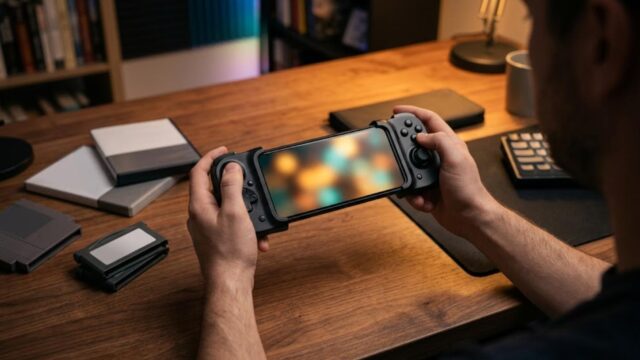
A telescopic controller that grips both ends of the phone is the usual choice. Check that it stretches to fit your phone with its case on, that the camera bump clears the grip, and whether it connects by USB-C (no pairing) or Bluetooth. Trying one on the phone you already own is a cheap way to see whether phone emulation suits you before buying new hardware.
RAM: more is not automatically better
RAM does not fix the real PS2 limits, CPU single-thread speed and GPU drivers. As a rule of thumb, 8GB is enough up to PS2 and 12GB adds multitasking room. On a fixed budget, a better chip with less RAM beats a weaker chip with more.
FAQ
How do I know what my current phone can run?
Find the chip name with a device-info app or the maker’s spec page for your exact model, then match it to the table above. On Snapdragon 8 Gen 2 or newer, you probably need only a controller. On a mid-range or Mali phone, start with PS1 and PSP before spending money.
What about an iPhone?
This guide covers Android hardware, and the Turnip route is specific to Android devices with Adreno GPUs, so it does not apply to iPhone. iOS emulation is outside this article’s scope.
Is a used flagship a good idea?
Often, yes. A used Snapdragon 8 Gen 2 or 8 Gen 3 phone costs far less than a new 8 Elite Gen 5 phone and, as a rule of thumb, is comfortable for PS2. Check the exact chip for that model number and the battery condition.
Pre-purchase checklist
- Chip: Snapdragon with Adreno? For PS2, 8 Gen 2 or newer? Confirmed for the exact model number and market?
- Driver route: if it is MediaTek, Exynos or a Pixel, are you fine relying only on the maker’s drivers?
- Storage: microSD slot? If not, is the internal storage enough for the PS2 games you own?
- Cooling: built-in fan, or a clip-on cooler planned for long sessions?
- Controls and buying route: a controller that fits the device, and for handhelds or imports, shipping, import charges and warranty checked for your country?
Bottom line
For emulation up to PS2 in 2026, pick the GPU before the brand. Snapdragon with Adreno gives you Turnip and custom drivers, the most practical protection against driver problems. Snapdragon 8 Gen 2 or 8 Gen 3 is the value tier, whether a used Galaxy S23 or a Retroid Pocket 6; the 8 Elite and 8 Elite Gen 5 add headroom mainly beyond PS2. Be cautious with MediaTek, Exynos and Pixel devices if emulation is a priority, check the exact chip on any Samsung, and decide storage, cooling and controls at the same time as the device.
コメント