

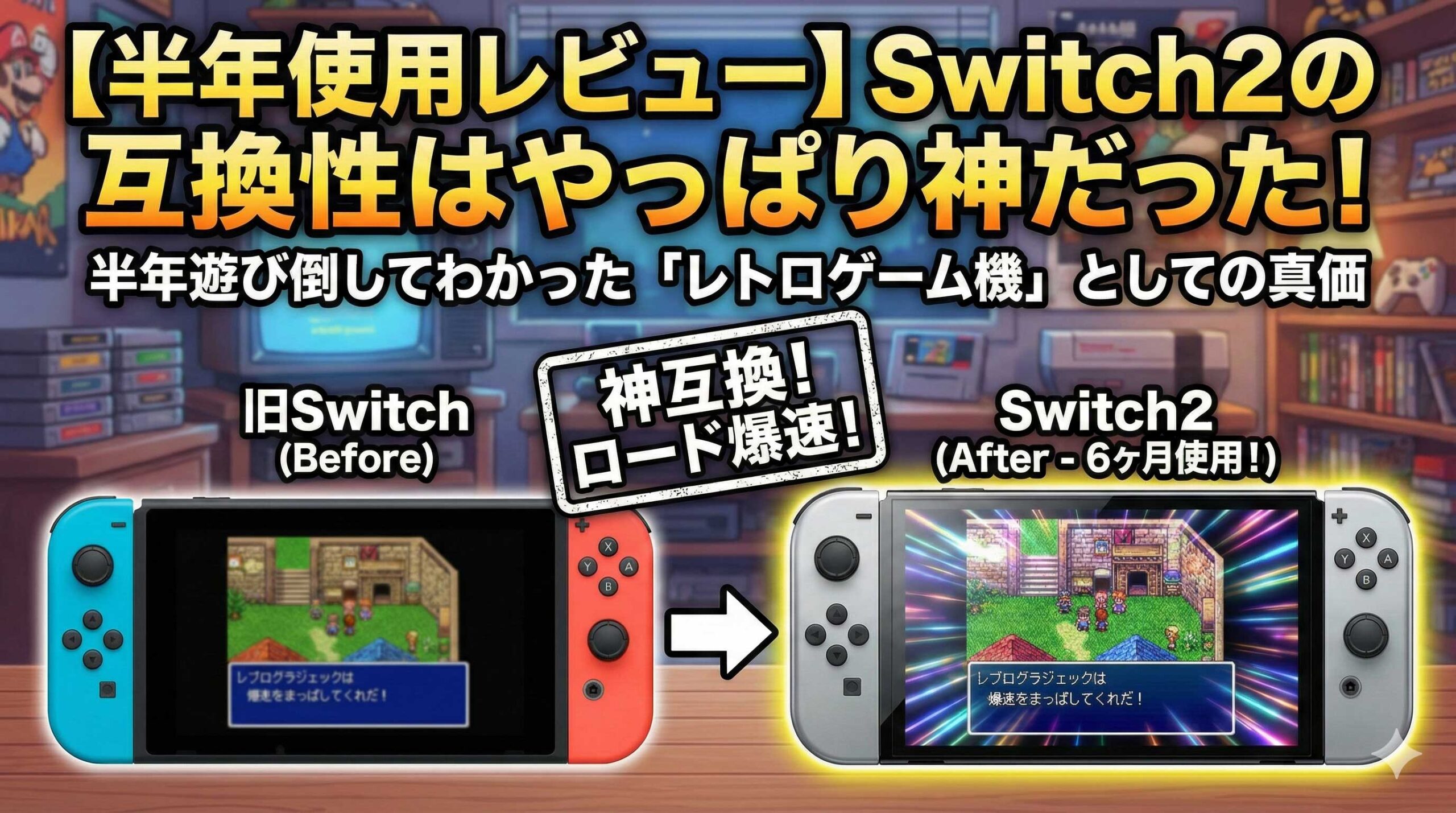
Short version: most original Nintendo Switch software runs on Nintendo Switch 2, whether you own it on a game card or digitally. But “most” is not “all” — Nintendo itself states that some titles cannot achieve full compatibility with Nintendo Switch, so games with limited functionality and games that are not supported do exist. Accessories are the sharper divide: controllers largely survive the move, while the original dock, the bundled HDMI cable and your existing microSD cards do not.
This article is a six-month owner report, cross-checked against Nintendo’s own published compatibility information. Everything factual here was verified on 2026-09-09; specifications can change with later system updates, so confirm anything critical against Nintendo’s current official information for your region.
Quick reference: does your original Switch library carry over?
| What you own | Works on Switch 2? | Notes |
|---|---|---|
| Physical game cards | Yes, for the large majority | Some titles have limited functionality or are unsupported. Search the title on Nintendo’s official compatibility information page for your region. |
| Digital (eShop) games | Yes | Sign in with the same Nintendo Account and your purchases re-download after the transfer. |
| Save data | Yes | A system transfer moves your account, purchased digital software, save data, screenshots and videos, system settings and Parental Controls settings together. |
| Joy-Con (original) | Partly — no charging on the console | They pair and play wirelessly, but they cannot be charged by attaching them to a Switch 2 console. |
| Pro Controller (original) | Yes | Works wirelessly and charges over USB. |
| NES, SNES, Nintendo 64 and Sega Genesis (Mega Drive) controllers for NSO | Yes | All connect wirelessly, so classic games can be played with period-correct controls. |
| GameCube Controller Adapter | Yes | Supported. |
| Original Nintendo Switch dock | No | Use the dock that comes with Switch 2. |
| High Speed HDMI cable bundled with the original Switch | No | Switch 2 ships with an Ultra High Speed HDMI cable. Use that one. |
| Original Switch AC adapter | Charging only | It will charge the console, but it does not supply enough power for TV mode. |
| Standard microSD cards (UHS-I) | No | Switch 2 requires microSD Express. Your existing cards cannot be reused for Switch 2 storage. |
| Nintendo Switch Online membership | Yes | Your existing membership carries over. The GameCube library was added for Expansion Pack members. |
If you only read one thing, read the table above and find your own hardware in it. The rest of this article fills in each row with two sources: what Nintendo publishes, and what actually happened across six months of daily use.
- Will every original Switch game run? How to check your own library
- Game cards and digital both run — and load times improved
- Which original Switch accessories still work?
- Nintendo Switch Online on Switch 2
- Tested: 4K upscaling helps pixel art and HD-2D most
- Controller compatibility and longevity
- How far does Switch 2 go as a retro machine?
- Going further: building a dumping setup on PC
- The bottom line
Will every original Switch game run? How to check your own library
The accurate answer is “the large majority run as-is, but Nintendo itself states some titles are not fully compatible.” Checking your specific titles against Nintendo’s official compatibility information is the only reliable method. Forum consensus, YouTube lists and owner reports — including this one — are secondary.
What Nintendo actually states
Switch 2 uses different hardware from the original Switch, and Nintendo states that because of this, some titles cannot achieve full compatibility with Nintendo Switch. Nintendo has also said it will continue testing and issuing updates to increase the number of titles that work.
So the reality is neither “everything runs” nor “compatibility is broken.” It is: most games run, a limited number have restricted functionality, and a limited number are not supported. That distinction matters most to the person it affects. If the one game you play every week falls into the unsupported group, the aggregate statistic is no comfort.
Check your own titles — about 30 seconds each
Nintendo publishes a searchable Nintendo Switch 2 compatibility information page where you type a game’s name and get its status. Both physical and digital releases are searchable. Deliberately, no link is given here: the page differs by region and the correct one for you is reached from your own country’s Nintendo site. Before you upgrade, run your top five most-played titles through it.
The important footnote in the search tool
There is a caveat that is easy to miss. For titles released only physically, and for titles no longer offered on the Nintendo eShop, the search results list only the titles where a problem was found. That inverts how you read a blank result: for those categories, “no search result” means “no problem has been reported so far,” not “untested” and not “guaranteed.”
If your collection leans toward smaller releases or older physical-only games — which is exactly the profile of a lot of retro-minded collectors — hold that distinction in mind rather than treating an empty result as a clean bill of health.
Some games get better: free Switch 2 update data
The effect runs in the other direction too. A number of original Switch games have received free update data for Switch 2 that sharpens the on-screen presentation and, in some cases, adds support for Switch 2-specific multiplayer features. Exactly which features a given game gains is per-title, so check that game’s own update notes rather than assuming.
Practical advice: immediately after a transfer, let every game pull its updates before you judge anything. A meaningful share of “I upgraded and nothing looks different” reports are simply un-applied update data.
Six months of hands-on use (our own measurement, with its limits)
Across our own library — several dozen titles between game cards and digital purchases — we recorded zero compatibility-related faults over six months. The texture-corruption reports that circulated around launch have not reproduced here on the current system software after repeated updates.
That needs an honest caveat attached, and we will not drop it: this result only means our particular titles happened to all be supported. One household’s library is not a sample that overrides Nintendo’s own published footnote. Treat an owner report as a reason to be optimistic about the odds, never as a substitute for searching your own titles in the official compatibility information. Do not cut that corner.
Game cards and digital both run — and load times improved
When a title is supported, the subjective experience is simply “it runs,” with a bonus: loading is noticeably faster than on the original hardware.
Stability
At launch there was plenty of talk about graphical glitches in specific games. Six months and numerous system updates later, behavior here has been consistently stable. No crashes, no corrupted saves, no title that stopped working after an update.
Load times
This is the unglamorous upgrade that changes how you actually play. Large open-world games — The Legend of Zelda: Tears of the Kingdom is the clearest example in our testing — load perceptibly faster. Shaving the wait off every shrine entry or fast travel does more for the pace of a long session than any headline feature. For some players that alone justifies the move.
Moving your data: system transfer
Nintendo’s official term for the one-shot migration is system transfer. It carries over your Nintendo Account, your purchased digital software, each game’s save data, your captured screenshots and videos, your system settings, and your Parental Controls settings in a single operation.
Two conditions apply: both consoles must be signed in to the same Nintendo Account, and both need an internet connection. There is no need to manually back up saves one game at a time, and no need to re-purchase anything.
In practice the migration was the least eventful part of the upgrade. Link the account, and the digital library simply appears. Insert a game card, and its patches download quickly.
Which original Switch accessories still work?
Short version: nearly all controllers survive; the dock, the old HDMI cable and standard microSD cards are retired; the old AC adapter is demoted to charging duty. Based on the questions we see, more people get caught out here than on software.
Works as-is
- Nintendo Switch Pro Controller (original) — wireless play and USB charging both work. No reason to replace it.
- Joy-Con (original) — pair and play wirelessly. They cannot be charged by attaching them to the console; see below.
- The NES, SNES, Nintendo 64 and Sega Genesis (Mega Drive in Europe and Australia) controllers sold for Nintendo Switch Online members — all connect wirelessly.
- GameCube Controller Adapter — supported.
- Nintendo USB microphone, USB wireless microphone, and the Nintendo Switch stylus — supported.
Availability note: the classic NSO controllers are sold by Nintendo directly to members in the regions where Nintendo offers them, and stock comes and goes. Some bundles and accessory variants were only ever sold in Japan — those are Japan-only, import required, and warranty and repair terms depend on where you bought the item, so confirm them with the seller rather than assuming you are covered.
Doesn’t work — this is where people get caught
- Original Nintendo Switch dock — not supported. Use the Switch 2 dock.
- The High Speed HDMI cable bundled with the original Switch — not supported. Switch 2 includes an Ultra High Speed HDMI cable.
- Nintendo Switch Charging Stand (adjustable) — not supported.
- Standard microSD cards — not supported for Switch 2 storage. Switch 2 requires microSD Express.
Conditional: the old AC adapter
The original Switch AC adapter will charge a Switch 2, but it does not deliver enough power for TV mode. This is a common and badly diagnosed failure: the console is docked, the TV shows nothing or the picture is unstable, and the cause is the adapter rather than the dock, the cable or the TV. If you play docked, use the adapter that came with Switch 2.
microSD: it has to say “Express”
This is the single largest unavoidable cost in moving from the original Switch. Your existing UHS-I microSD cards cannot be reused for Switch 2 storage — the console requires microSD Express, which is a different and currently more expensive class of card. The more of your library is digital, the sooner this becomes urgent: a couple of large modern releases will fill internal storage quickly.
microSD Express cards are widely stocked at the usual retailers, Amazon.com included, and prices have been moving, so treat any figure you read as a rough guide rather than a quote. Check capacity-per-dollar on the day you buy, and buy a card that is explicitly labeled microSD Express — “fast UHS-I” or “A2 V30” is not the same standard and will not substitute.
Nintendo Switch Online on Switch 2
Your membership carries straight over, and the service got more interesting for retro players: the GameCube library was added for Expansion Pack members.
Membership carries over; Expansion Pack adds GameCube
An existing Nintendo Switch Online membership continues to work on Switch 2. Members with the Expansion Pack tier gained access to a GameCube library. Combined with the fact that the GameCube Controller Adapter still works, playing those games with period hardware is a complete, supported setup rather than a workaround.
One regional caution: which classic libraries are offered, and on what terms, is not identical in every country. If you want to know whether a specific library or tier is available where you live, check your region’s Nintendo site rather than trusting a figure quoted in an article — including this one.
4K output and pixel art
“Does 4K do anything for 8-bit sprites?” is a fair question, and the answer turned out to be yes, more than expected. Run through Switch 2’s upscaling, pixel edges stay crisp instead of smearing, and color reproduction is richer. The result reads less like a blown-up image and more like the impression of a good CRT at a modern resolution.
A note on sourcing, since this gets stated as fact in a lot of places: Nintendo does not publish the implementation details of Switch 2’s upscaling. Claims about exactly which technique is used are community inference, not documented specification, so we are describing the observed result and not the mechanism.
Input latency
More processing headroom also benefits emulation accuracy. The occasional input lag we noticed on the original Switch in the classic libraries has been essentially absent on Switch 2. Fighting-game players and anyone sensitive to timing in action titles should find the response acceptable — though if frame-accurate timing is your standard, measure it yourself rather than trusting any subjective report.
Tested: 4K upscaling helps pixel art and HD-2D most
Across six months on a 4K OLED television, the clearest conclusion is that 4K upscaling delivers more visible benefit on 2D and HD-2D games than on 3D ones. Jagged edges in 2D art smooth out cleanly, and HD-2D titles — Octopath Traveler is the obvious reference point — gain a lot.
Two failure modes will wipe out the entire benefit, and both are configuration rather than hardware.
1. Your television’s HDMI settings. If the HDMI input is not configured for the higher-bandwidth mode your TV supports, you will play at 1080p for months and never know. The setting is usually per-input and buried under a name like “HDMI Enhanced Format,” “HDMI UHD Colour,” or similar — the wording differs by manufacturer. We lost time to exactly this. If you ever think “it doesn’t look any different,” check this before anything else.
2. Your HDMI cable. As above, the High Speed cable bundled with the original Switch is not supported on Switch 2. Use the Ultra High Speed cable included in the box. If you need a longer run than that cable allows, buy one that carries the official Ultra High Speed HDMI certification. A cable that does not meet the specification will not reliably pass 4K at high refresh rates, and the symptom is not a helpful error message — it is an intermittently blank, flickering or dropping picture that gets blamed on the console.
Controller compatibility and longevity
Both the original Joy-Con and the original Pro Controller connect and play wirelessly. The only thing that genuinely changes is how you charge them.
Original Joy-Con: usable, with a charging caveat
Original Joy-Con pair without trouble, which saves anyone with a multiplayer household from buying new pads immediately. But per Nintendo’s specifications, original Joy-Con cannot be charged by attaching them to a Switch 2 console. The practical answer is to keep the original Switch, or an original Joy-Con charging grip, around as a charger. Think of them as “fully usable, separate charging path.”
One subjective observation after six months: the haptics in the controllers that ship with Switch 2 are noticeably more refined, and that is habit-forming. Our original pads drifted into being guest controllers rather than main ones. That is preference, not a compatibility issue.
Pro Controller: still in active service
The original Pro Controller continues to do its job. Wireless play, USB charging, no charging workaround needed, and no durability problems here across the six months. We have found no reason to replace it.
If you are buying an additional pad rather than replacing one, third-party Bluetooth controllers from the usual retro-leaning brands are widely available in North America, the UK and Australia, and many of them also pair with a PC — useful if you end up running the dual setup described below. Check the product page for current Switch 2 support specifically, since firmware updates have been changing this on both sides.
How far does Switch 2 go as a retro machine?
Switch 2’s retro ceiling is “Nintendo Switch Online classic titles” plus “retro-style and retro-collection software released for the original Switch.” Anything beyond that boundary is not a Switch 2 question at all — it is a PC question.
What stays inside Switch 2
With a Nintendo Switch Online membership you get the classic libraries — NES, SNES, Game Boy and the others offered in your region — and with the Expansion Pack, GameCube on Switch 2. Add the wireless classic controllers and you have the most frictionless way to play these games on licensed, first-party hardware with period-correct controls. For a large number of people, that is the whole requirement, and nothing else in this article is needed.
What has to happen outside Switch 2
Titles that never came to the subscription service, and software for other manufacturers’ machines — PlayStation, Sega Saturn and so on — will not run on Switch 2. That is not a limitation to complain about; it is simply the edge of the platform.
To be explicit about scope, since this is a line we hold: this site does not cover emulating the Switch 2 console itself on PC. What we cover is taking hardware and software you personally own, dumping it yourself, and running those dumps comfortably on a PC or an Android device. That boundary does not move.
Going further: building a dumping setup on PC
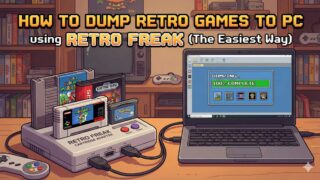
Running “new releases on Switch 2, back catalogue on PC” as a deliberate split closes almost every remaining gap. The entry point is a single piece of hardware for reading your own cartridges or discs.
Switch 2’s compatibility is strong, but appetite expands to fit it. Once the upgrade is settled, the next thought is usually “the one game that never reached the subscription” or “I want my PlayStation and Saturn library in the same front end as everything else.” That is a reasonable place to end up.
Two things to be clear about before you start. First, the only approach covered here is dumping from original media and hardware that you own. We do not name, link to or discuss sites that distribute ROMs, and that is not an oversight. Second, the legal position on personal backups differs by country and, in the United States, is genuinely unsettled rather than simply permissive — the practical rule we follow is dump games you legally own, and the rest of this is general information, not legal advice. If the specifics matter to your situation, get advice from someone qualified to give it.
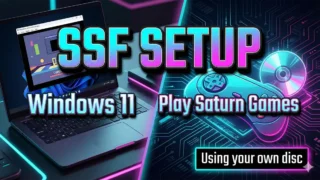
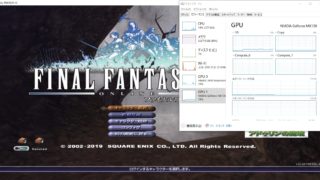
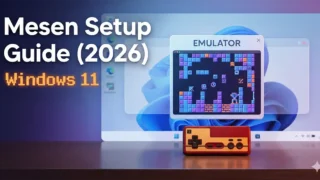
On availability: cartridge dumpers and retro handhelds are easy to source internationally through Amazon.com, AliExpress and the manufacturers’ own stores, so most of this category is accessible wherever you are. The exceptions are the Japanese all-in-one units that come up in Japanese-language coverage of this topic — those are Japan-only, import required, and their menus, documentation and support may be Japanese-language only, so check that before ordering.
The bottom line
Original Switch software mostly carries over unchanged. The friction is in the accessories, not the games.
- Software compatibility is high and comes with shorter load times. But titles with limited functionality and unsupported titles do exist, so search the handful you actually intend to keep playing in Nintendo’s official compatibility information first — and remember that for physical-only and delisted titles, a blank result means “no problem reported,” not “verified.”
- Accessories need triage. Controllers survive. The original dock, the bundled High Speed HDMI cable and standard microSD cards do not. The old AC adapter is charging-only.
- Migration is one operation. A system transfer moves your account, digital purchases, save data, captures, system settings and Parental Controls settings together, with both consoles on the same Nintendo Account and online.
- 4K upscaling pays off most on 2D and HD-2D games — and returns nothing at all if the HDMI cable or the television’s input settings are wrong. Check those two before concluding anything about image quality.
- Nintendo Switch Online carries over, and Expansion Pack members gained the GameCube library. Which libraries and tiers are offered varies by region; check your region’s Nintendo site.
Who should upgrade now, and who can reasonably wait: if your most-played titles check out as supported and you play docked on a 4K display, the shorter load times and the upscaling on 2D games are a real, daily improvement. If your collection is heavy on physical-only or delisted releases, or your budget does not currently stretch to microSD Express storage on top of the console, waiting costs you nothing — the compatibility list only gets longer as Nintendo issues updates. Decide from your own library, not from a verdict.
Source note: the compatibility statements in this article are based on Nintendo’s official compatibility information pages (software and accessories) and Nintendo’s official data transfer guidance. Verified 2026-09-09. Specifications may change with future system updates, so confirm anything decisive against the latest official information for your region. The six-month usage observations are our own and are reported as a single household’s experience, not as a substitute for the official compatibility information.
コメント