










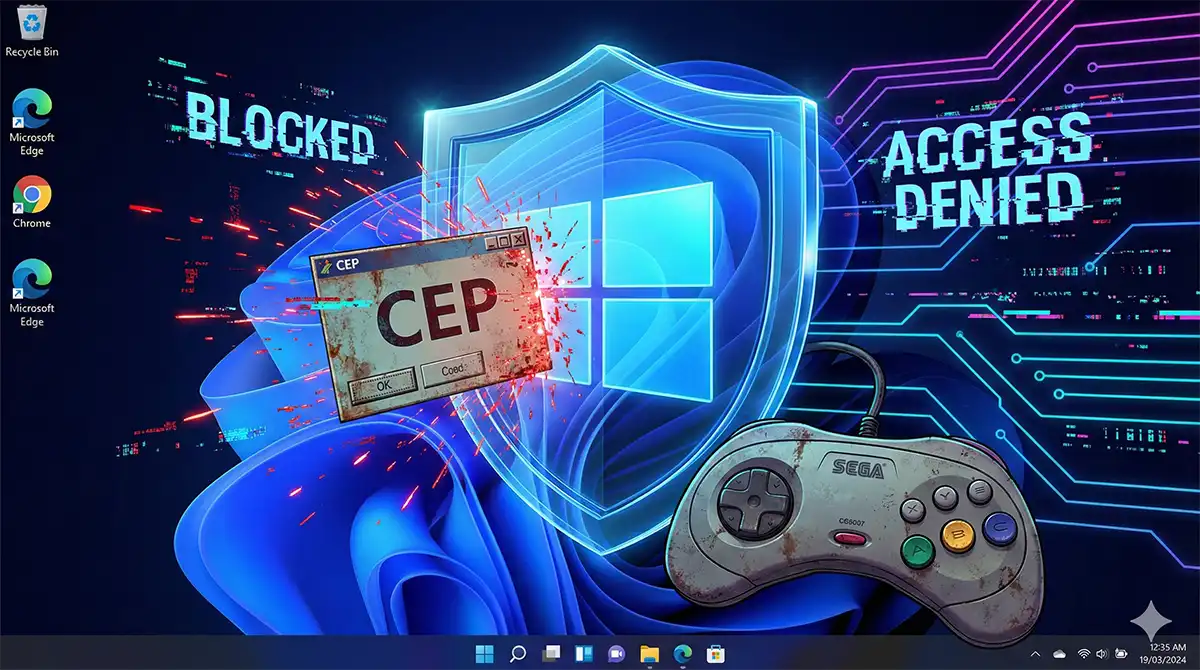
You installed the SSF Sega Saturn emulator, got your games running, then tried to attach an external memory-editing cheat tool to it. The tool either refuses to launch, launches but never sees the emulator, or appears to attach while the codes do absolutely nothing. On Windows 11 this is not a configuration mistake on your end. It is Windows blocking the tool on purpose, from a layer you cannot talk your way past.
The short version: Windows 11 ships with kernel-level protections turned on by default. They validate kernel-mode code before it is allowed to run and they refuse to load old, unsigned or known-vulnerable drivers. External Saturn cheat tools depend on exactly that kind of privileged, driver-backed access in order to reach another running program’s memory reliably, which is why they stop working. The workaround most forum posts suggest — switching those protections off — trades the security of your entire PC for a cheat menu in a 1995 console game. There is a better answer, and SSF already has it built in.
Everything below assumes single-player, offline use on games you own. Nothing here involves online play, leaderboards or multiplayer.
- The symptoms: what “blocked at the kernel level” actually looks like
- Why Windows 11 changed, when Windows 10 let this slide
- How to confirm this is what is happening on your PC
- The actual solution: use SSF’s own cheat function
- A note on law, and it is not legal advice
- Back up your SSF setup before you change anything
- Input hardware worth having
- Summary
The symptoms: what “blocked at the kernel level” actually looks like
Testing on Windows 11 23H2, external memory-editing cheat tools used with SSF failed in three distinct ways. If any of these match what you are seeing, you have found your answer and you can stop troubleshooting.
- The process is killed instantly. The tool’s executable appears in Task Manager for roughly half a second, produces no error dialog and no log, and disappears. Nothing you click is at fault — it never finished starting.
- Attachment is refused. The tool starts and lists running processes, but the moment you select the SSF process it freezes or terminates. The privileged access it needs in order to read and write another process’s memory never becomes available to it.
- A driver is rejected. Windows Security raises a notification that a driver could not be loaded. Older cheat tools install a helper driver to get kernel access, and that driver is refused before the tool ever runs.
Note the environment: Windows 11 23H2. Behaviour on other builds was not tested, and no claim is made about them. The underlying features, however, are on by default across Windows 11 worldwide, so the outcome is unlikely to differ much.
The three features doing the blocking
| Windows 11 feature | Default state | Effect on an external cheat tool |
|---|---|---|
| Memory integrity (HVCI — Hypervisor-protected Code Integrity) | On | Decisive. Validates kernel-mode code before it may run, so the privileged helper component these tools rely on is never allowed to execute. |
| Microsoft vulnerable driver blocklist | On | Decisive. Refuses to load the old signed drivers these tools bundle. |
| Core isolation / VBS (Virtualization-Based Security) | On | Isolates the OS core in a virtualized container, so third-party tools cannot reach into it. |
To be explicit about what is not involved: Secure Boot and TPM 2.0 are Windows 11 installation requirements, not the mechanism blocking cheat tools. Turning them off would not change anything here, and would break other things. Ignore advice that points at them.
Why disabling Windows security is the wrong trade
This article does not explain how to turn Memory integrity, VBS or the driver blocklist off, and that is deliberate. Three reasons:
- The scope is your whole machine, not the emulator. These are system-wide kernel protections. Switching them off to run a cheat tool for one emulator removes that protection from your browser, your email client and everything else on the same PC.
- Old drivers are on the blocklist for a reason. The vulnerable driver blocklist exists because attackers abuse legitimately signed but flawed drivers to get kernel privileges. Re-enabling a blocked driver reopens exactly that door.
- The time cost is real and the payoff is not guaranteed. You can lose an evening to reboots and toggles and still not get the tool working, because more than one feature is blocking it and they interact. Meanwhile SSF’s built-in cheat system works immediately with nothing switched off.
If you genuinely want to experiment with tools like this, the sane approach is a dedicated machine or VM you do not care about — not the PC you bank on.
Why Windows 11 changed, when Windows 10 let this slide
Memory integrity (HVCI) is the decisive one
An external cheat tool works by reaching into another process — the emulator — and writing new values into its memory while it runs. To do that reliably, tools of this generation install a helper component that runs in kernel mode. That is where Windows 11 intervenes. HVCI uses the CPU’s virtualization features to verify kernel-mode code integrity and to keep code that has not been validated from executing with kernel privileges, so the helper is refused before the tool has done anything at all — no prompt, no error dialog.
This is why permission tricks do nothing. Administrator rights are a user-mode concept. The block is happening below user mode, in a hypervisor-enforced boundary, so there is no account on your PC with enough privilege to be “allowed” through it.
The Microsoft vulnerable driver blocklist changed the default answer from “warn” to “refuse”
| Behaviour | Windows 10 and earlier | Windows 11 |
|---|---|---|
| Old or outdated drivers | Warned about, but could still be loaded | Load is refused by the OS |
| Unsigned or unvalidated code behaviour | Could be allowed at the user’s own risk | Treated as a vulnerability and blocked immediately |
That single row explains most of the “but it worked on my old PC” posts. Nothing about the cheat tool changed. The default answer Windows gives to its driver did.
How to confirm this is what is happening on your PC
Check your Windows Security status
On English-language Windows 11, go to Settings > Privacy & security > Windows Security > Device security, then open Core isolation details. You are looking at two switches:
- Memory integrity — if this reads On, the privileged kernel-level component the tool relies on will not be allowed to load.
- Microsoft vulnerable driver blocklist — if this reads On, the tool’s helper driver is being refused.
If both show On, you have confirmed the cause. There is no further diagnosis to do and no setting inside SSF that changes the outcome.
Four “fixes” that cannot work, and why
- Run as administrator. Raises your user-mode privilege. The block is enforced below user mode. No effect.
- Compatibility mode. Changes which API behaviours Windows reports to the application. It does not change memory protection or driver signing enforcement. No effect.
- Pausing your third-party antivirus. Core isolation is a Windows feature, not an antivirus feature. Disabling a security suite does not stop it.
- Reinstalling the cheat tool or the emulator. Nothing is corrupted. A clean install gets refused in exactly the same way.
The actual solution: use SSF’s own cheat function
SSF includes native cheat support that reads .cht cheat files. You place a text file containing the codes in the location SSF expects, and the emulator applies them itself from inside its own process. No external tool, no helper driver, no memory injection across process boundaries — so there is nothing for HVCI or the driver blocklist to object to.
Two practical points, because the feature is off by default in the versions that have it. First, cheat support has to be switched on in SSF’s own options screen and the emulator restarted before any cheat file is read — the toggle sits on one of the numbered Program tabs inside Option, and the exact tab and wording have moved between releases, so go by the readme shipped with your copy rather than a screenshot from a forum post. Second, the cheat files are organised in a Cheat folder by the game’s product code (the identifier printed on the disc, e.g. T_1101G), not by game title, so a file dropped in the wrong place is silently ignored. Recent SSF builds ship with a handful of ready-made cheat files, which is the quickest way to confirm the feature is working before you write your own.
This is not a compromise version of what you wanted. For offline single-player use it is strictly better: it survives Windows updates, it is portable along with the rest of your SSF folder, and it keeps your PC’s security posture intact. Treat the external tool as obsolete on Windows 11 and move on.
On sourcing: this article does not link to or name download locations for cheat tools, cheat databases, disc images or ROMs. Use discs you own and images you created yourself from your own discs.
A note on law, and it is not legal advice
In the United States there is no clean, settled “personal backup” right for console games. Section 1201 of the DMCA restricts circumventing technical protection measures, and the periodic Library of Congress exemptions are narrow and specific. Downloading game images you do not own a copy of is treated as infringement in essentially every jurisdiction. Modifying a single-player game’s values in memory on hardware you own, for your own offline use, is a different question from distribution — and it is still a question, not a settled permission.
This is general information and not legal advice. Dump and play the games you legally own, do not distribute what you dump, and consult a qualified attorney about your specific situation if it matters to you.
Back up your SSF setup before you change anything
Before troubleshooting anything in an emulator, take a copy. Rebuilding a working Saturn configuration from scratch costs far more time than copying a folder.
| What to back up | What it contains | Why it matters |
|---|---|---|
| The entire SSF folder | Executable and all supporting files | Zip it with a date in the filename; a known-good copy beats any repair attempt |
| The .ini configuration file | Your emulator settings | Holds resolution, video and compatibility options you tuned by trial and error |
| The Backup folder (saves and cheat data) | Save data and your collected codes | This is the part you cannot recreate — hours of play and hand-assembled .cht files |
An external portable SSD is the cheapest insurance here. USB 3.x portable SSDs from the usual storage brands are stocked by Amazon.com, Best Buy and Newegg in the US, and by Amazon.co.uk and Amazon.com.au elsewhere in the English-speaking market. Any 1–2 TB drive is far larger than an emulator library needs, which means you can keep dated snapshots rather than overwriting one backup.
Input hardware worth having
Saturn games were designed around the Saturn pad’s D-pad and six-button face layout, and fighting games in particular feel wrong on a modern analog-stick controller. Two practical options, both easy to get outside Japan:
- A Saturn-style USB gamepad. Officially licensed Saturn-shaped USB pads are sold in the US and UK by retro accessory brands such as Retro-Bit, and unlicensed equivalents are everywhere on AliExpress. These are plug-and-play on Windows 11 and need no driver — which is the point, given everything above.
- A Saturn-to-USB adapter for original controllers. If you still own genuine Saturn pads, adapters let you use them directly. Raphnet in Canada is the best-known maker in the English-speaking market; generic adapters are also widely available online.
Deliberately not listed here: Japan-only model numbers. Japanese retro accessory lines are excellent but usually require a proxy shipping service, which turns a $25 pad into a $60 one. Stick to what your regional Amazon store or AliExpress ships directly.
Summary
- Stop troubleshooting the external cheat tool. Confirm Memory integrity and the Microsoft vulnerable driver blocklist are On under Device security, and accept that the tool is finished on Windows 11.
- Leave those protections enabled. They defend your entire PC. The cheat tool is not worth the exposure, and disabling them often fails anyway.
- Switch to SSF’s built-in .cht cheat files. Same result, offline and single-player, with nothing switched off and nothing injected into another process.
- Back up the SSF folder, the .ini and the Backup folder to an external drive before you touch anything, and spend the money you would have spent on troubleshooting on a controller that suits the games instead.
The useful reframing: Windows 11 did not break your emulator. It closed a technique that a third-party tool depended on, and SSF already shipped a supported replacement for it. Everything you wanted from the external tool is available without compromising the machine you use for everything else.
コメント